
In the corporate environment, where printing is a critical and daily activity, centralized and efficient management of print queues is a strategic advantage. With this in mind, NDD Orbix offers the Remote queue administration feature, a cloud solution that modernizes and simplifies queue control in environments of any size, with scalability, agility, and security.
The platform enables the creation, distribution, and monitoring of print queues in an automated manner, without the need for local servers or constant intervention by IT teams. All administration is done via the portal, ensuring that the environment is always updated, standardized, and available. Even if the settings are changed locally, NDD Orbix automatically restores the parameters defined by the administrator.
This approach reduces failures, support calls, and dependence on physical infrastructure, promoting a more sustainable, secure operation that is aligned with ESG practices.
Explore more about this feature
Access the detailed documentation to explore the Remote queue administration feature in more detail:
-
Start remote administration of queues and drivers -
Create print queue driver -
Create print queue computer -
Create print queue user -
Create print queue grouping -
Remove print queues that were not created by the portal -
Create print queue -
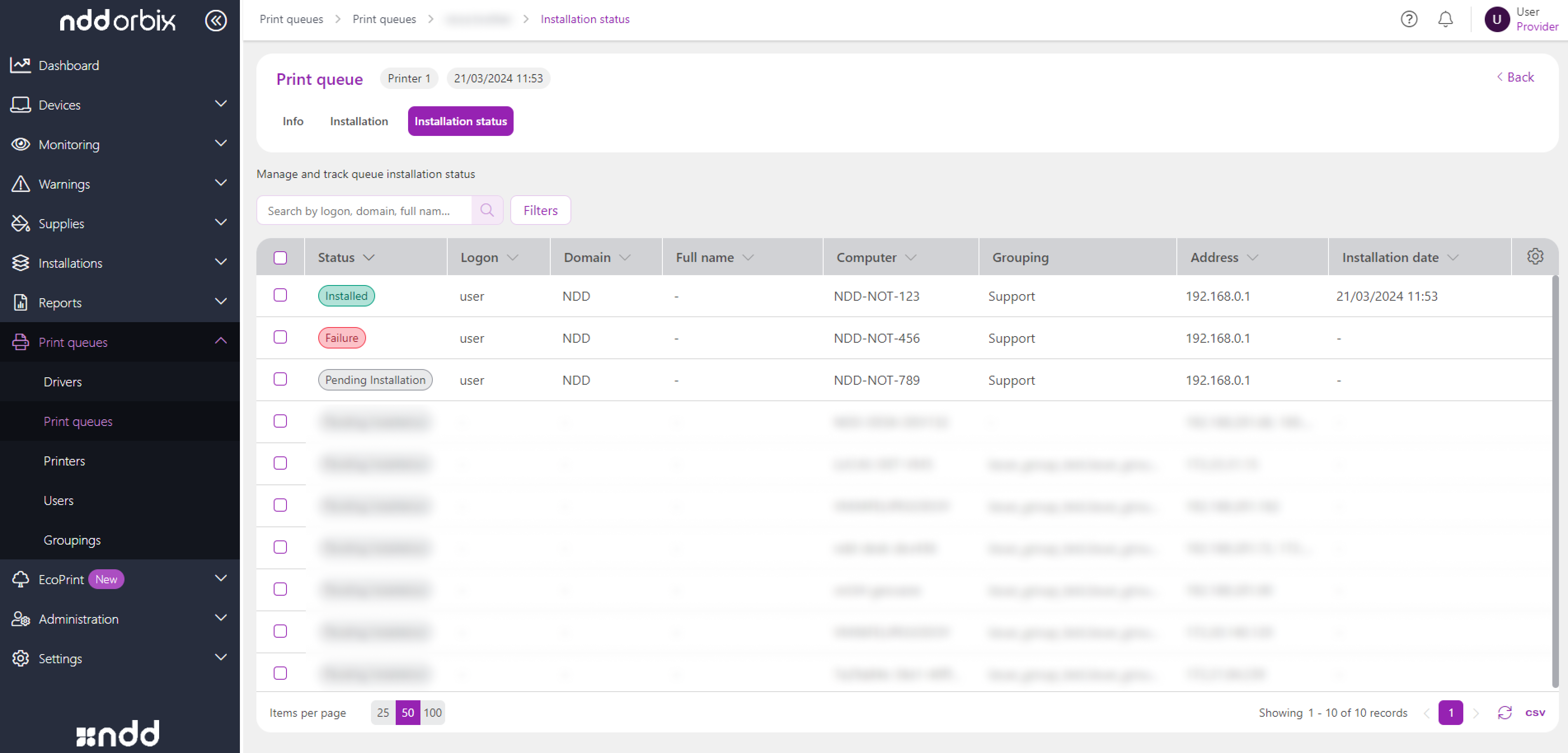
Install print queue on computers and users -
Change print queue driver -
View users and devices linked to the print queue
Key pain points we help solve

High printing infrastructure and technical support costs
Lack of standardization and inconsistency in queues

Complexity
in managing
distributed environments
Key benefits for your operation

Agility in
deploying
large-scale
queues

Reduced
operating and
infrastructure
costs

Continuous monitoring of queue installation and operation

Consistent environment with automatic restoration of changed queues

Centralized administration with remote management via portal

Scalability
to handle large volumes of users and devices
What makes our solution different from others
Automated
and scalable
distribution
Compatibility with multiple manufacturers
Support for
USB
printers
How queue administration works
The process begins with the installation of the DCA and Cloud Connector agent on the computers where the queues will be used. This installation is essential, as the agent is responsible for applying the settings defined in the portal, as well as distributing and monitoring the print queues.
Next, you must enable and configure the print queue service on the NDD Orbix portal. In this step, you define the rules that determine which customers will have their environments monitored by the installed agent.
With the service configured, you can:
-
Create the printer drivers that will be used in the queues.
-
Create users, computer groupings and/or user groupings to link to queues, if applicable. Computers are created automatically as the agent is installed.
-
Enable automatic removal of queues not created by NDD Orbix, if applicable, reinforcing standardization and avoiding inconsistent manual configurations.
-
Create the print queues.
-
Install the created queues on the computers and users.
Once installed, the queues remain linked to the designated computers or users. NDD Orbix ensures that even in the event of local changes (such as queue deletion or modification), the original settings are automatically restored.
Remote queue administration in NDD Orbix represents a transformation in the way companies manage their printing environments. With a 100% cloud architecture, a focus on automation, and support for large-scale operations, this feature meets the needs of companies searching for agility, standardization, and reliability.