
When communication between the DCA and Cloud Connector agent and the NDD Orbix portal is carried out using a gateway, it is necessary to install the Gateway Connector before installing the DCA and Cloud Connector agent.
Warning
Although the DCA and Cloud Connector agent is installed on Linux, the Gateway Connector must be installed on Windows.
There are two ways to download the installer:
-
Via the NDD Orbix portal (recommended): the installer is generated customized for each customer.
We recommend using this option. -
Via the default installer: the installer is the same for all customers.
We recommend using this option only as an exception.
Instructions
Step 1. Download the gateway file
Download the default installer
-
On the portal, create the client as instructed at Create customer, site and department
-
After creating the client, download the Gateway Connector installer file:
NDD_GatewayConnector_1.1.2.exe
-
Run the installed file
-
Select the desired language and click on Next
-
Click Next on the installer's home screen
-
Choose the Installation folder and Work folder and click Next
-
Enter the Provider name and Customer identification key and click Next
Tip
How to find information on the portal:
-
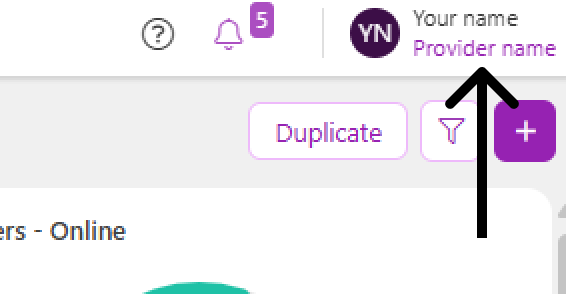
Provider name: in the upper right corner, below your name:
-
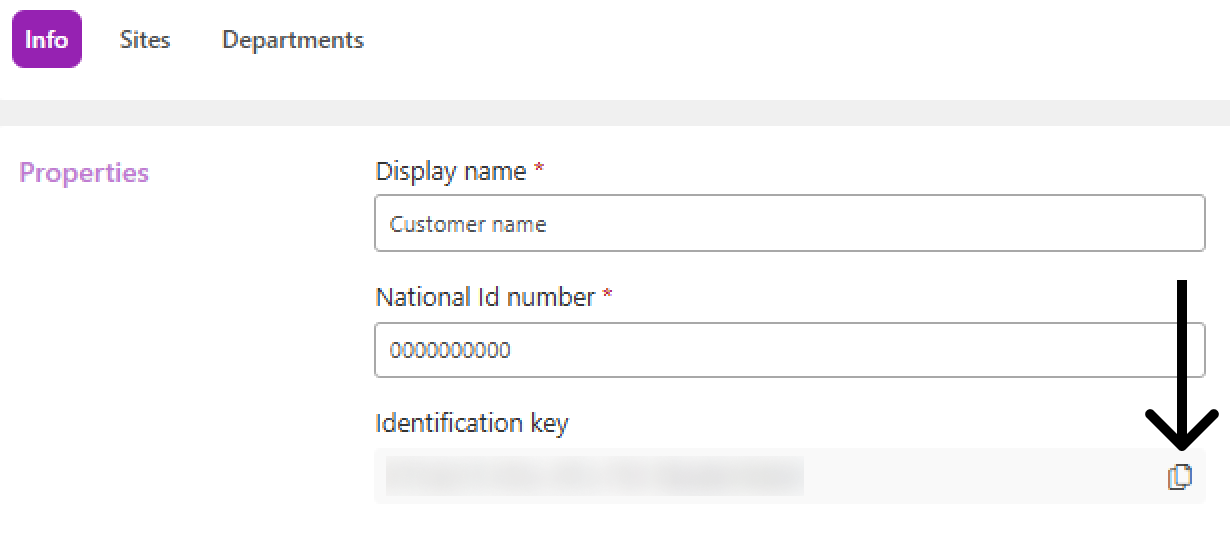
Customer identification key: in the customer properties:
-
Go to the Administration > Customers menu
-
Click on the name of the desired customer to open its properties
-
In the Info tab, copy the Identification key
-
Enter Proxy settings if it is required, and click Next
-
Click Install
-
Wait for installation and click Finish
Step 2. Install the gateway in the environment
-
Check the installation prerequisites at Prerequisites for installing the DCA and Cloud Connector agent
-
On the computer or server where the Gateway Connector is to be installed, run the downloaded file
-
Select the desired language and click Next
-
Click Next on the installer's initial screen
-
Choose the Installation folder and Working folder and click Next
-
Enter the Proxy settings, if necessary, and click Next
-
Click Install
-
Wait for the installation to complete and click Finish
Step 3. Install the agent in the environment
Once Gateway Connector is installed, access the documentation below to download and install the DCA and Cloud Connector agent, according to the type of monitoring desired:
All equipment where the DCA agent and Cloud Connector are installed must point to the address (IP address or hostname) of the computer/server where the Gateway Connector was installed.